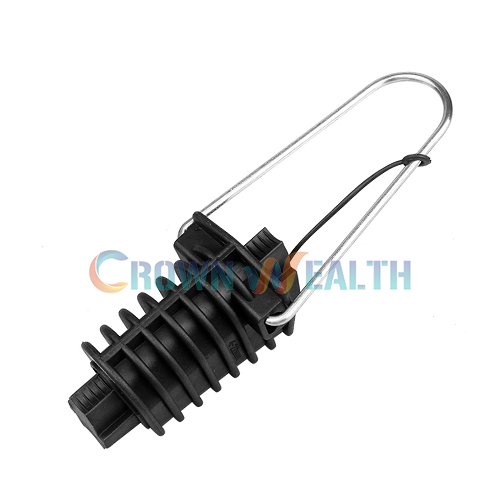
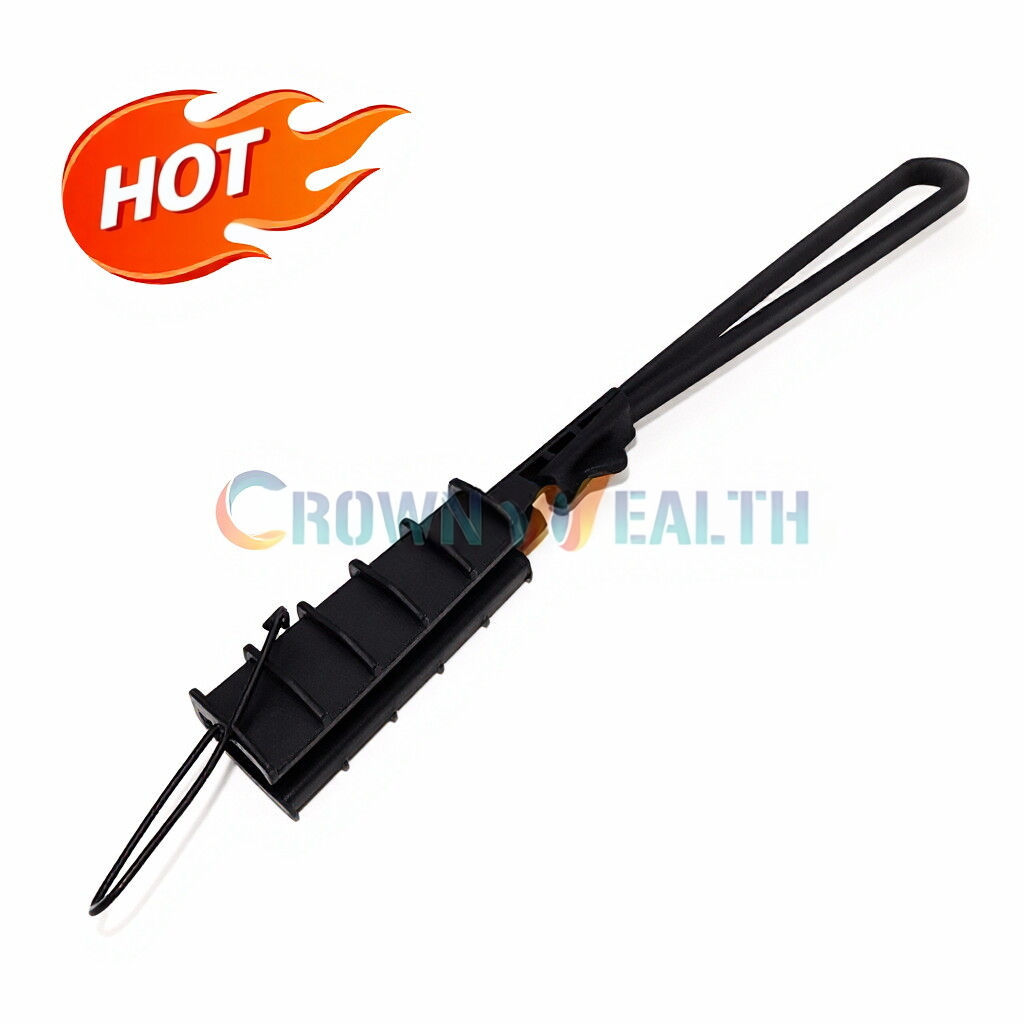
Hey there! As a supplier of Double Suspension Clamps, I've seen firsthand how important it is to install these clamps correctly. A proper installation not only ensures the safety and stability of your electrical or fiber - optic systems but also extends the lifespan of the equipment. So, let's dive into how to install a double suspension clamp correctly.
Step 1: Preparation
Before you even think about installing the double suspension clamp, you've got to do some prep work. First off, gather all the necessary tools. You'll need a torque wrench, a pair of pliers, a safety harness (if you're working at height), and a measuring tape. Trust me, having the right tools makes the whole process a breeze.
Next, check the clamp itself. Make sure there are no visible damages, like cracks or bends. A damaged clamp won't do its job properly and could lead to some serious problems down the line. Inspect the bolts, nuts, and washers too. They should be in good condition and the right size for the clamp.
Also, take a good look at the cable or conductor that the clamp will be holding. Measure its diameter accurately. Double suspension clamps are designed for specific cable sizes, so getting this right is crucial. You can find the recommended cable diameter range in the product manual.
Step 2: Positioning the Clamp
Once you've got everything ready, it's time to position the clamp. Start by identifying the correct location on the cable where the clamp will be installed. This usually depends on the design of your system and the requirements of the project.
If you're working on a power line, the clamp should be placed at a point where it can evenly distribute the weight of the cable. For fiber - optic cables, the location might be determined by factors like the distance between support structures and the need to minimize stress on the cable.
Use your measuring tape to mark the exact position on the cable. Make sure the mark is clear and accurate. Then, place the double suspension clamp over the marked area. Align the clamp so that the cable fits snugly into the grooves of the clamp.
Step 3: Attaching the Clamp
Now comes the part where you actually attach the clamp to the cable. Start by inserting the bolts through the holes in the clamp. Make sure to use the washers between the bolt head and the clamp, as well as between the nut and the clamp. The washers help distribute the pressure evenly and prevent damage to the clamp.
Tighten the nuts by hand first. This gives you a rough idea of how the clamp is fitting onto the cable. Then, use your torque wrench to tighten the bolts to the recommended torque value. You can find this value in the product manual. Over - tightening can damage the clamp and the cable, while under - tightening can cause the clamp to loosen over time.
As you're tightening the bolts, make sure the clamp remains properly aligned with the cable. Check that the cable is centered in the clamp's grooves and that there are no signs of pinching or distortion.


Step 4: Checking the Installation
After you've tightened all the bolts, it's time to do a thorough check of the installation. First, visually inspect the clamp to make sure it looks right. The bolts should be tightened evenly, and the clamp should be firmly attached to the cable.
Then, give the cable a gentle tug. The clamp should hold the cable securely without any movement. If you notice any looseness, go back and re - tighten the bolts to the correct torque.
It's also a good idea to check the alignment of the clamp again. Make sure it's still in the right position and that the cable is sitting properly in the grooves.
Step 5: Testing
Once you're satisfied with the installation, it's time to test the setup. If it's a power line, you can perform some basic electrical tests to make sure there are no issues with conductivity or insulation. For fiber - optic cables, you can use specialized testing equipment to check the signal strength and quality.
During the testing, keep an eye on the double suspension clamp. Look for any signs of movement, stress, or damage. If you notice anything unusual, stop the test and re - evaluate the installation.
Related Products
If you're in the market for other fiber - optic cable fittings, we've got you covered. We offer Preformed Dead End Guy Grips Sets for ADSS, which are great for securing ADSS cables at the end points. Our Dead - end for Medium and Long Span ADSS is designed to handle the unique requirements of longer cable spans. And don't forget our ADSS Fastening Clamp, which provides a reliable way to fasten ADSS cables to support structures.
Contact for Purchase
If you're interested in our Double Suspension Clamps or any of our other products, we'd love to hear from you. Whether you have questions about installation, product specifications, or pricing, feel free to reach out. We're here to help you make the right choice for your project.
References
- Manufacturer's product manuals for double suspension clamps
- Industry standards for cable installation and fitting usage